
Designed around decisions
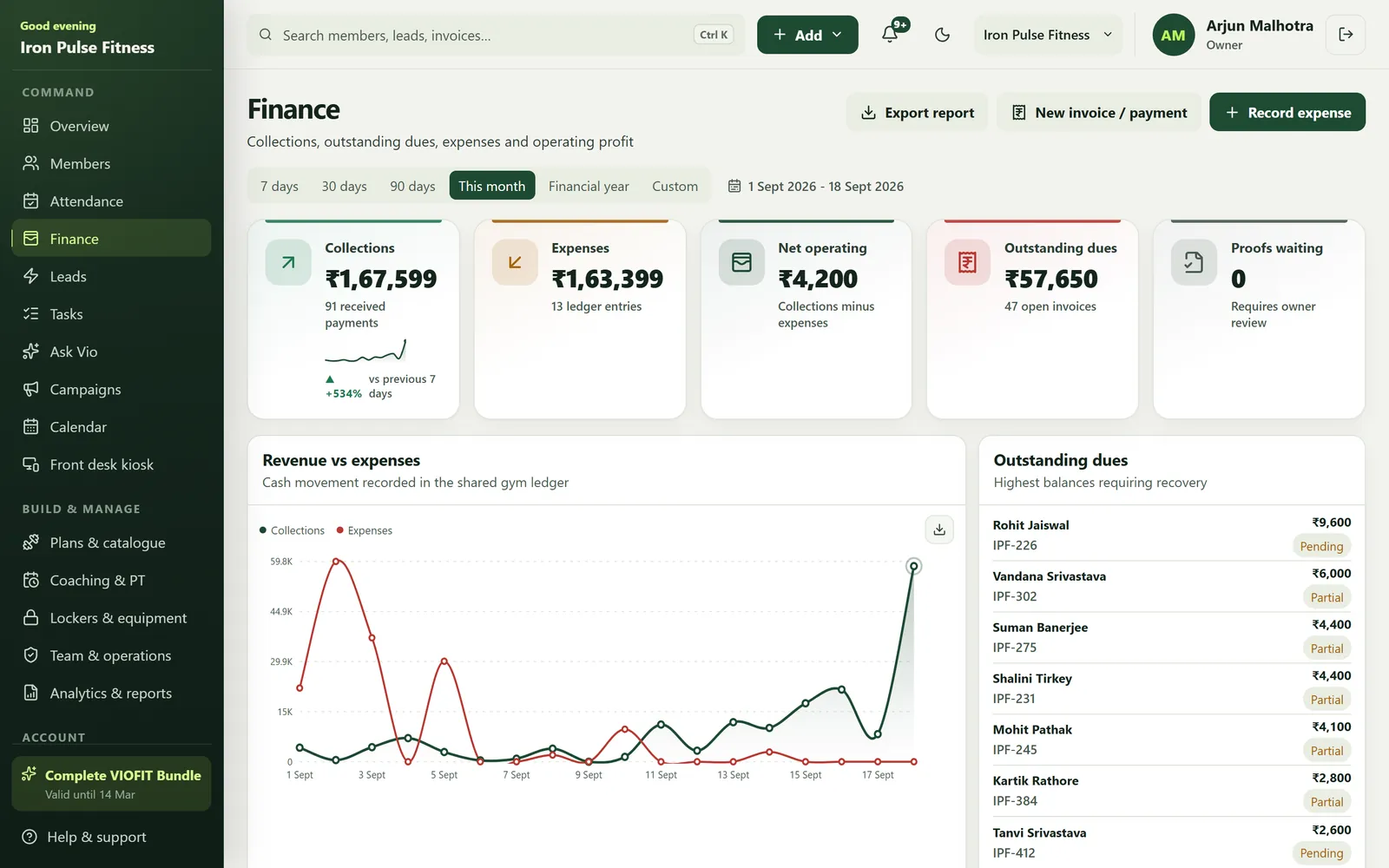
The new view separates money received, expenses, net position, outstanding dues and unpaid invoices. Owners can move from a summary to the underlying records without reading a dense report.
- Clear time periods
- Indian number formatting
- Rounded revenue and expense chart
- Direct due follow-up
Payment proof stays controlled
Member-submitted UPI screenshots remain pending until an authorised owner or front-desk user verifies them. Approval records the invoice and updates the connected ledger.
Start with a 15-day free trial.
If VIOFIT works for your team, choose a plan. If it does not, do not upgrade.
Start the free trialBuilt for small screens
The dashboard uses readable cards, a stable bottom navigation and touch-friendly targets. Important labels remain visible across the app's light and dark themes.
- Accessible contrast
- Reduced motion support
- Clear loading and empty states
Frequently asked questions
Where can I see my gym's collections and dues?
On the VIOFIT finance screen in the app, and in more detail in the Gym CRM, including period comparisons, a GST summary and profit and loss statements.
How are UPI payment proofs handled?
A member's UPI screenshot stays pending until an authorised owner or staff member verifies it, and only then does the ledger change.


